 Labs
LabsA software factory
in your pocket.
A native Android client that runs the full 9-role SDLC pipeline directly on-device against your own LLM provider keys. No backend. No account. No telemetry.
Not a remote control for a server somewhere. The whole orchestrator is here, running between your thumb and your battery.
The Five Tabs
Home · Hub · History · Data · Settings
Bottom nav routes between five surfaces. The Hub tab is special. It becomes the live Run dashboard mid-pipeline, and New Run setup when idle.
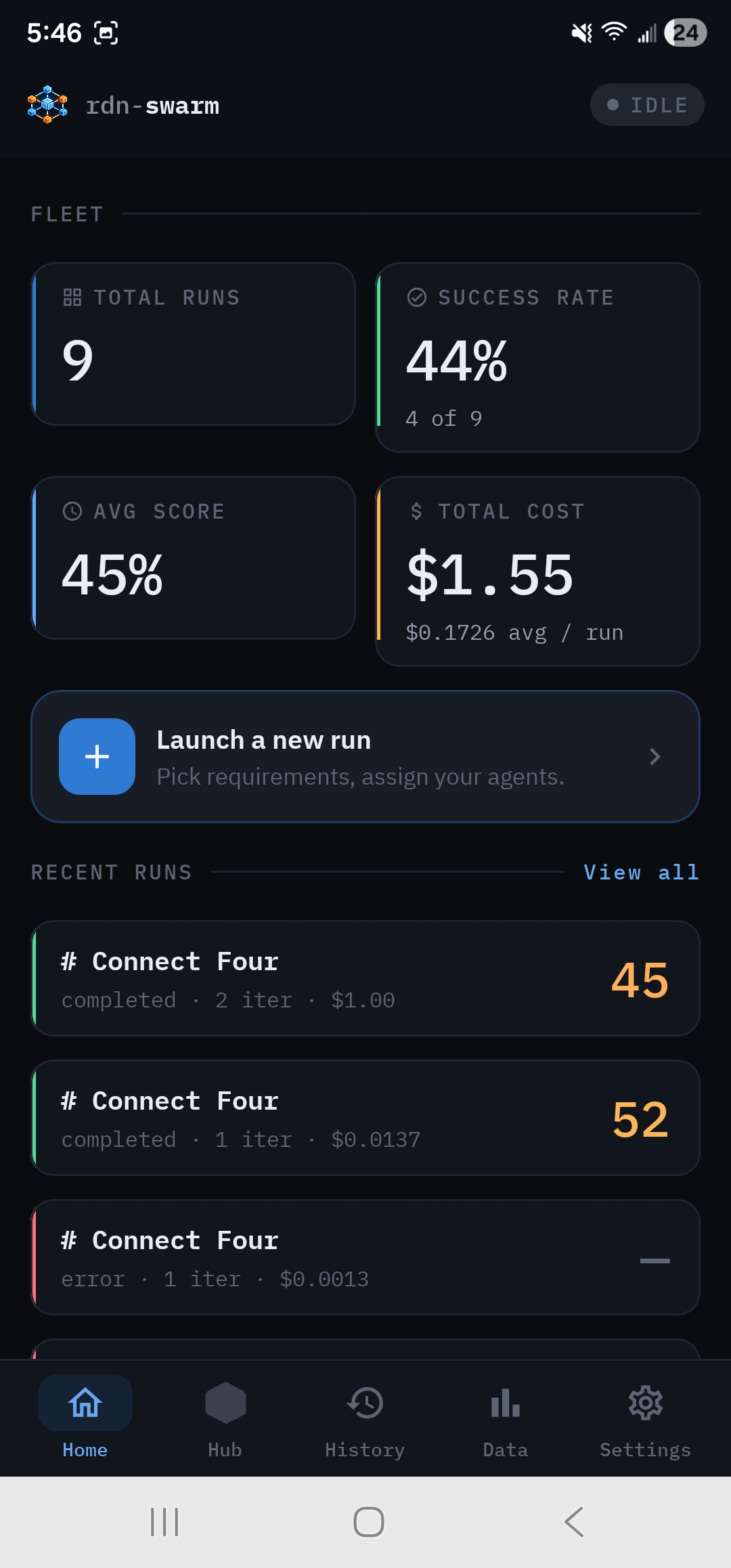
Fleet at a glance
Aggregate stats across every run on this device. Total runs, success rate, average score, total spend. A persistent Launch a new run CTA lives here, with the recent-run list right beneath it. Completed runs get a green status rail; errors get red.
- →Aggregate fleet metrics
- →Recent run cards with score chips
- →One-tap Launch new run
- →Status rail color coding
The live SDLC dashboard
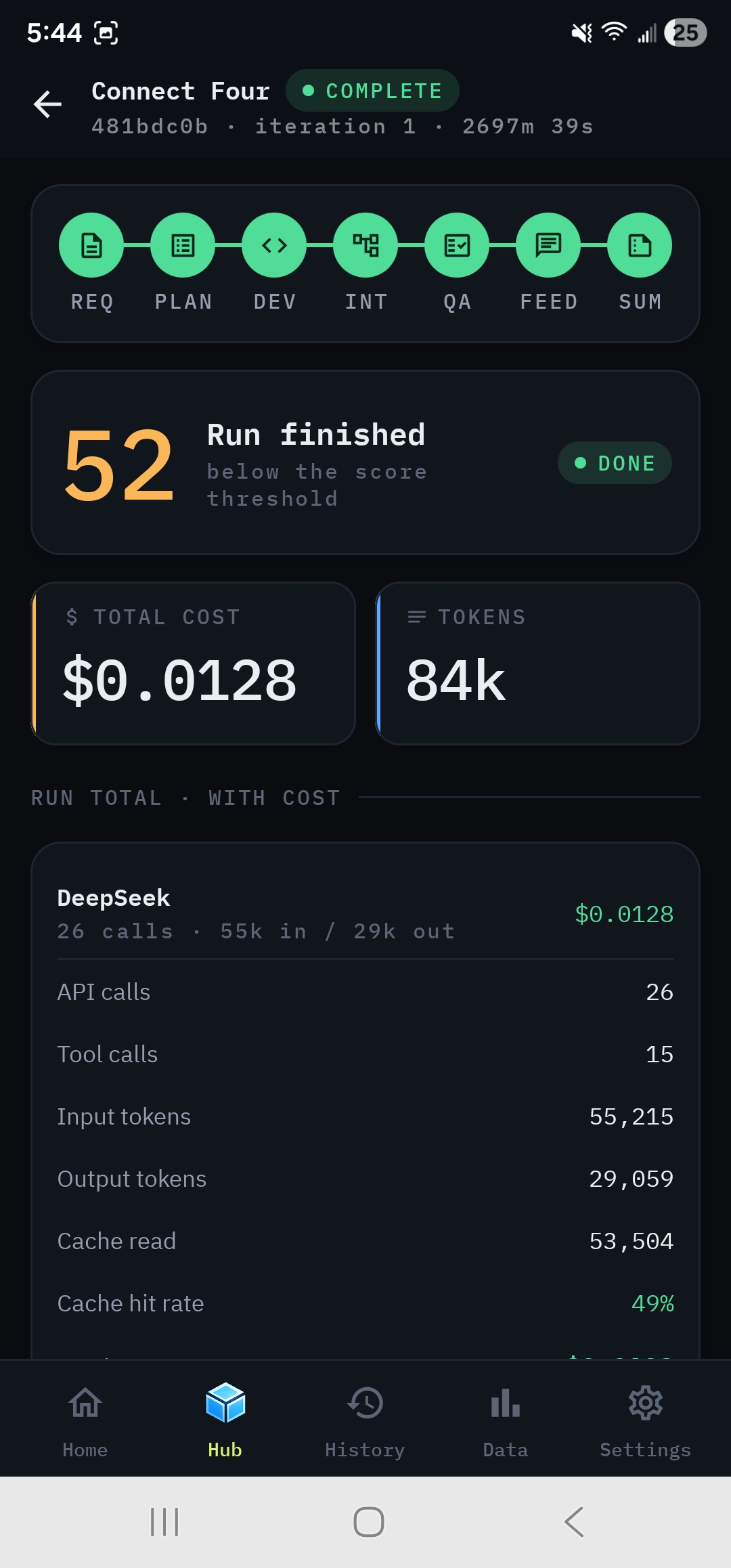
The Hub tab routes to the live run mid-pipeline, or to New Run setup when idle. Phase track at the top, big score readout next to the run status pill, then cost & token cards and a per-provider breakdown with cache hit rate.
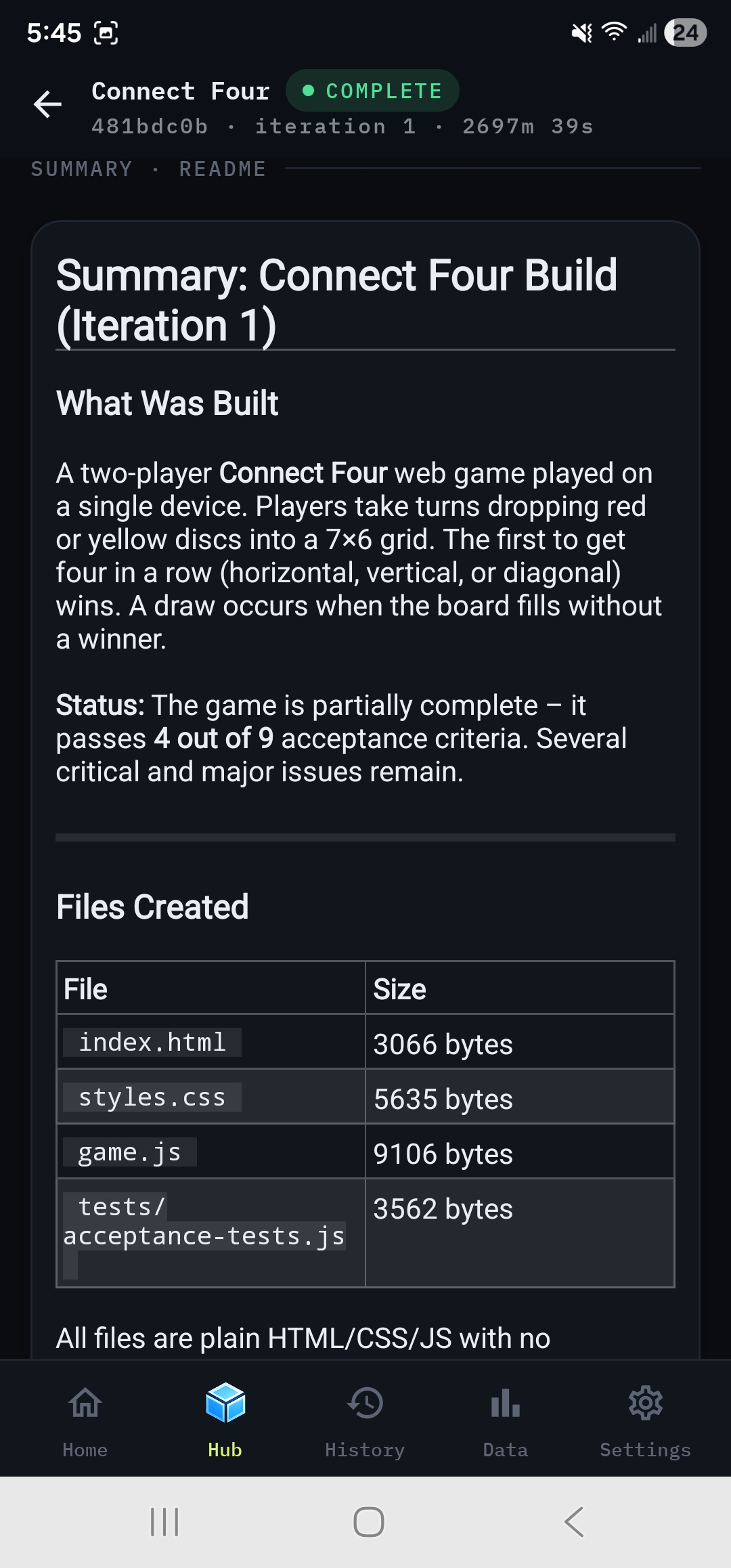
The Summary tab on the run renders the Summary Generator's markdown natively via Markwon. No webview bridge, no JS shim. Just text.
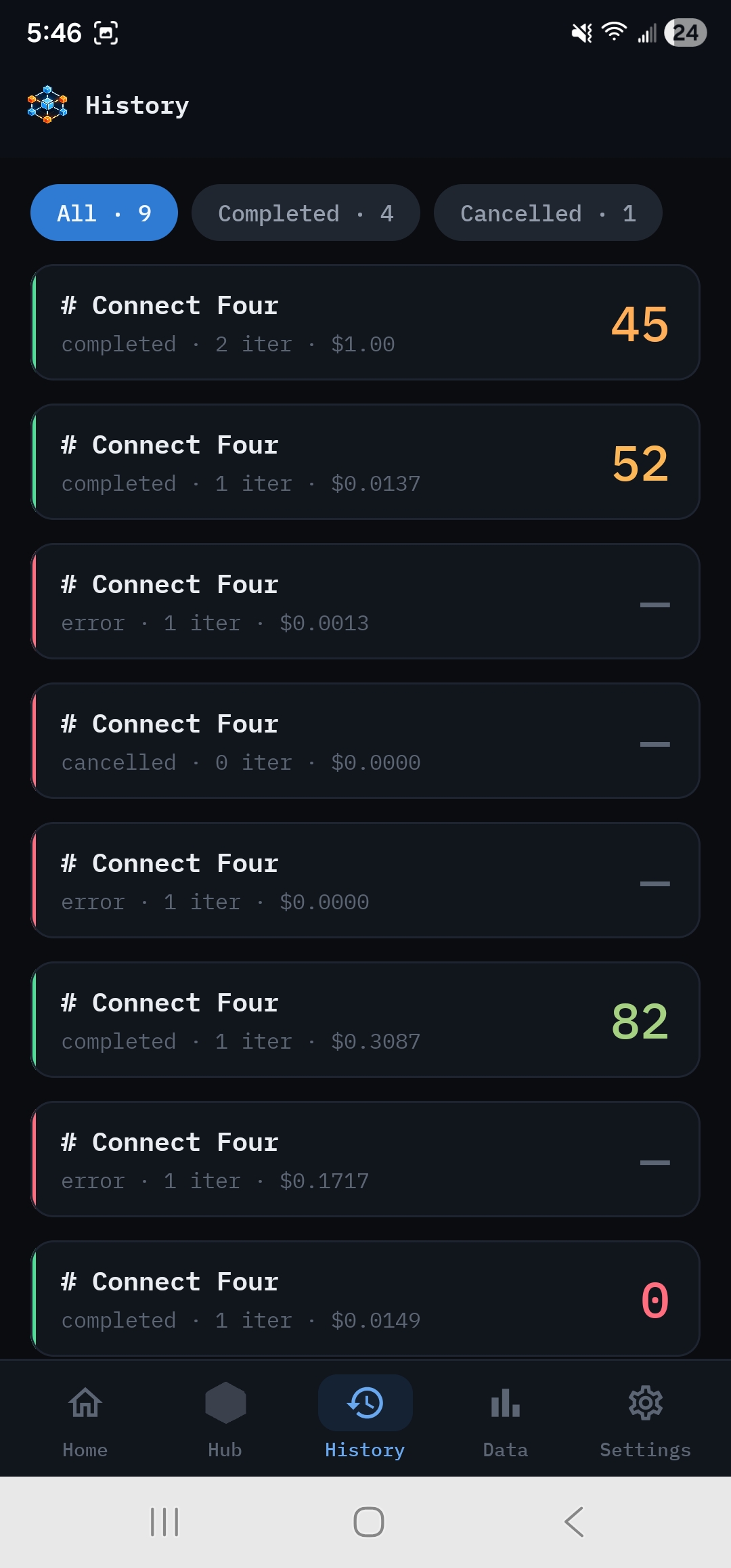
Replayable run archive
Every run on this device is recorded. Events, generated files, screenshots, costs. Chip filters split the list by lifecycle state. Tap any row to replay through the same dashboard UI, rebuilt from the persisted event archive.
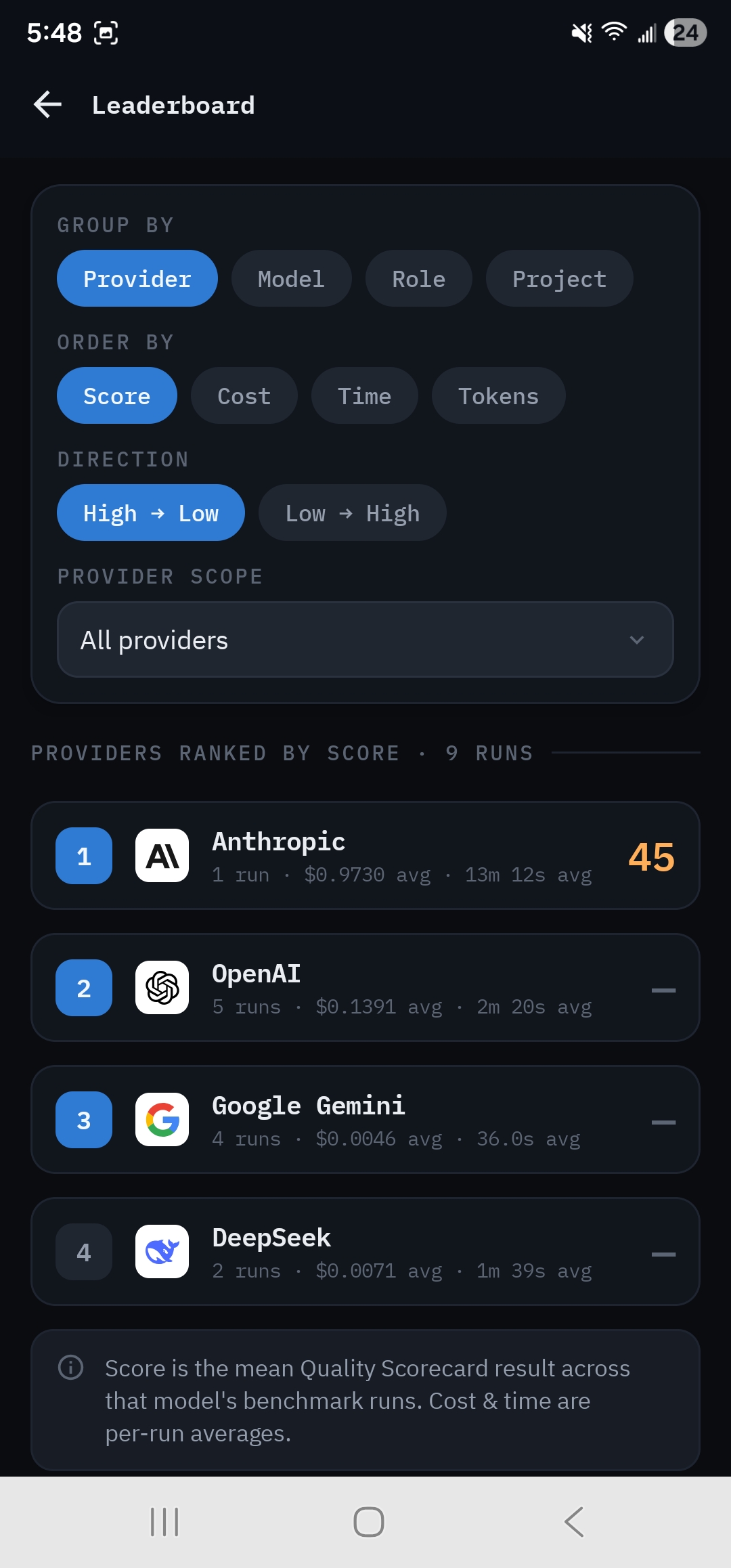
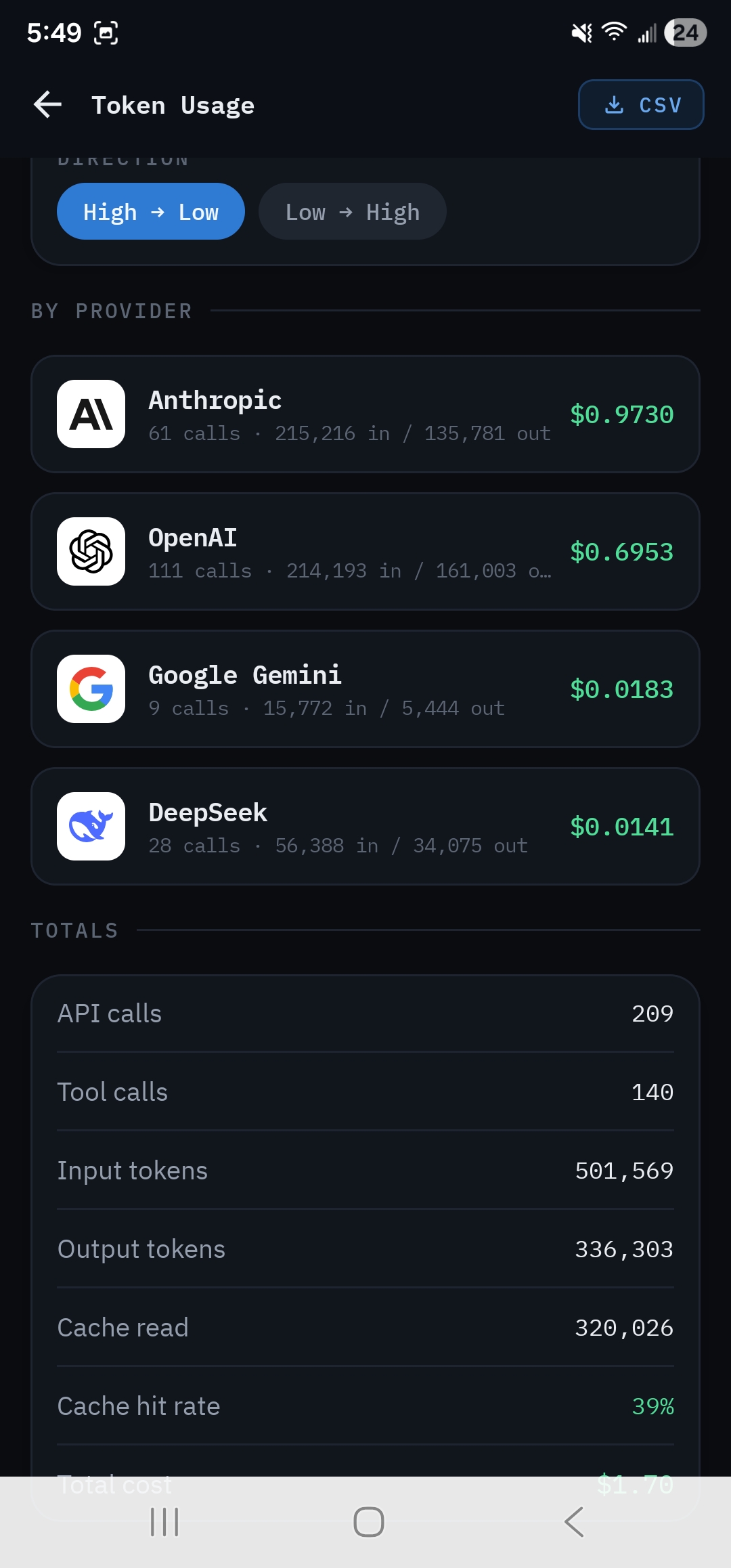
Benchmark reporting
The Data tab turns the device into a head-to-head benchmark rig. Leaderboard ranks providers, models, roles, or projects by score and efficiency. Token Usage gives the fleet-wide cost & token breakdown with CSV export.
Same input doc + same rubric across providers means head-to-head comparisons are fair, not vibes.
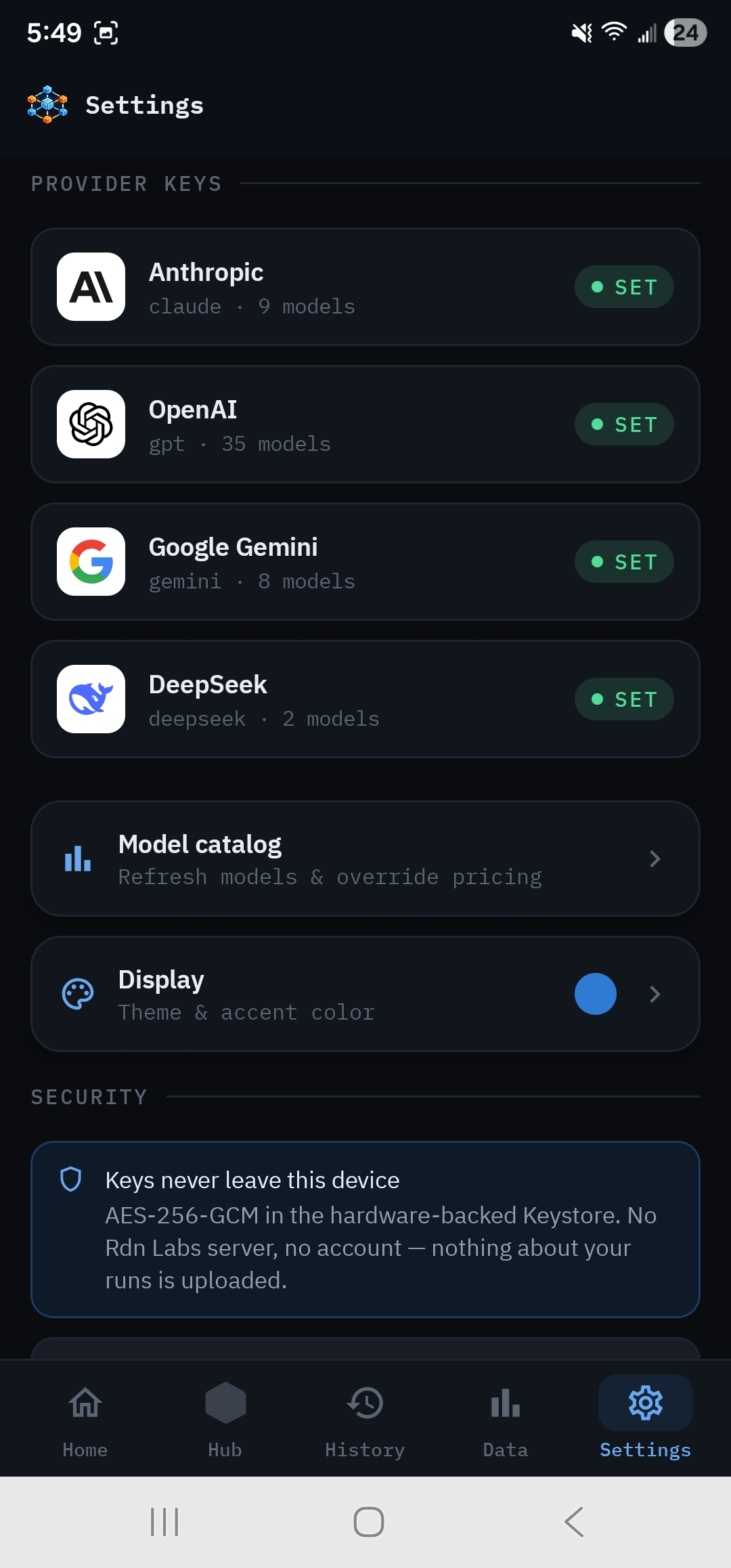
Your keys. Your device.
Provider keys are pasted in, validated against the live API, and stored in EncryptedSharedPreferences using MasterKey.KeyScheme.AES256_GCM, backed by the hardware Keystore. Keys never appear in logs.
The model catalog refreshes from each provider's /models endpoint at runtime, merged with a bundled pricing fallback (providers don't expose pricing), and every row is user-overrideable.
54 models indexed, refreshed live from each provider's catalog.
The Pipeline
9 roles, one device
The mobile variant extends the canonical 7-phase pipeline with a dedicated Visual QA (vision-capable, reads screenshots as multimodal content) and a Test Author (writes deterministic JS acceptance checks the orchestrator executes against the generated app).
Project Manager runs at 16k because deepseek-reasoner spends most of its budget on chain-of-thought reasoning. At 8k the actual JSON plan was getting truncated mid-stream.
Quality Scorecard
Five dimensions. One geometric mean.
Mobile leads the scoring redesign. Each dimension decays multiplicatively with open-issue count using per-severity half-lives; the overall Score is a weighted geometric mean across the five. A dead dimension fails the whole run, not just dings the score.
Correctness
Does the generated code actually do what the requirements describe? Drops fast on critical bugs.
Completeness
How many acceptance criteria pass. The Test Author's deterministic runner produces this signal.
Integrity
Cross-file consistency. CSS selectors, JS/HTML element IDs, imports, references. The Integration Architect's domain.
Quality
Code-style, structure, idiomatic patterns, and absence of major / minor issues found in code review.
Accessibility
Visual QA findings against the rendered DOM and screenshots. Keyboard focus, contrast, semantic markup.
A run is Successful once the Score clears the configured threshold (default 0.85) with zero open critical issues. Mobile shipped this model first; the other ports follow.
Play the result.
A real Connect Four. Game logic, win detection, gravity, the board itself, all written end-to-end by Swarm. No human edits. Tap a column. Red goes first.
↑ Playable · Sandboxed iframe
Behind the Bottom Nav
The screens that do the work
Output browser, in-app preview of the generated app, raw event log, requirements editor, model catalog, display theming, and About.
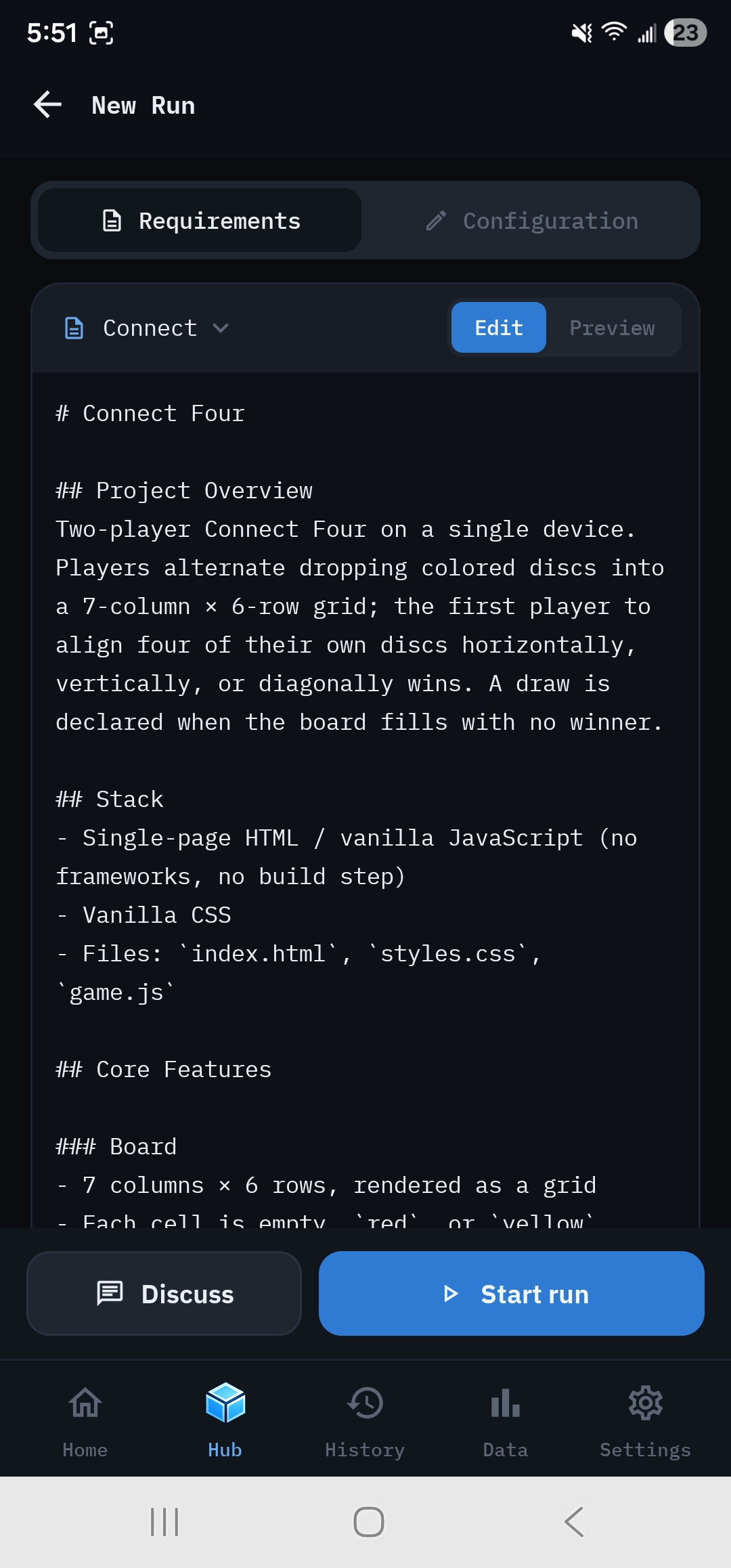
Hub · New Run
Requirements doc library
Multi-doc markdown library persisted on-device. Switch, start from a bundled template, edit raw or render preview, then drop into Configuration to assign per-role models.
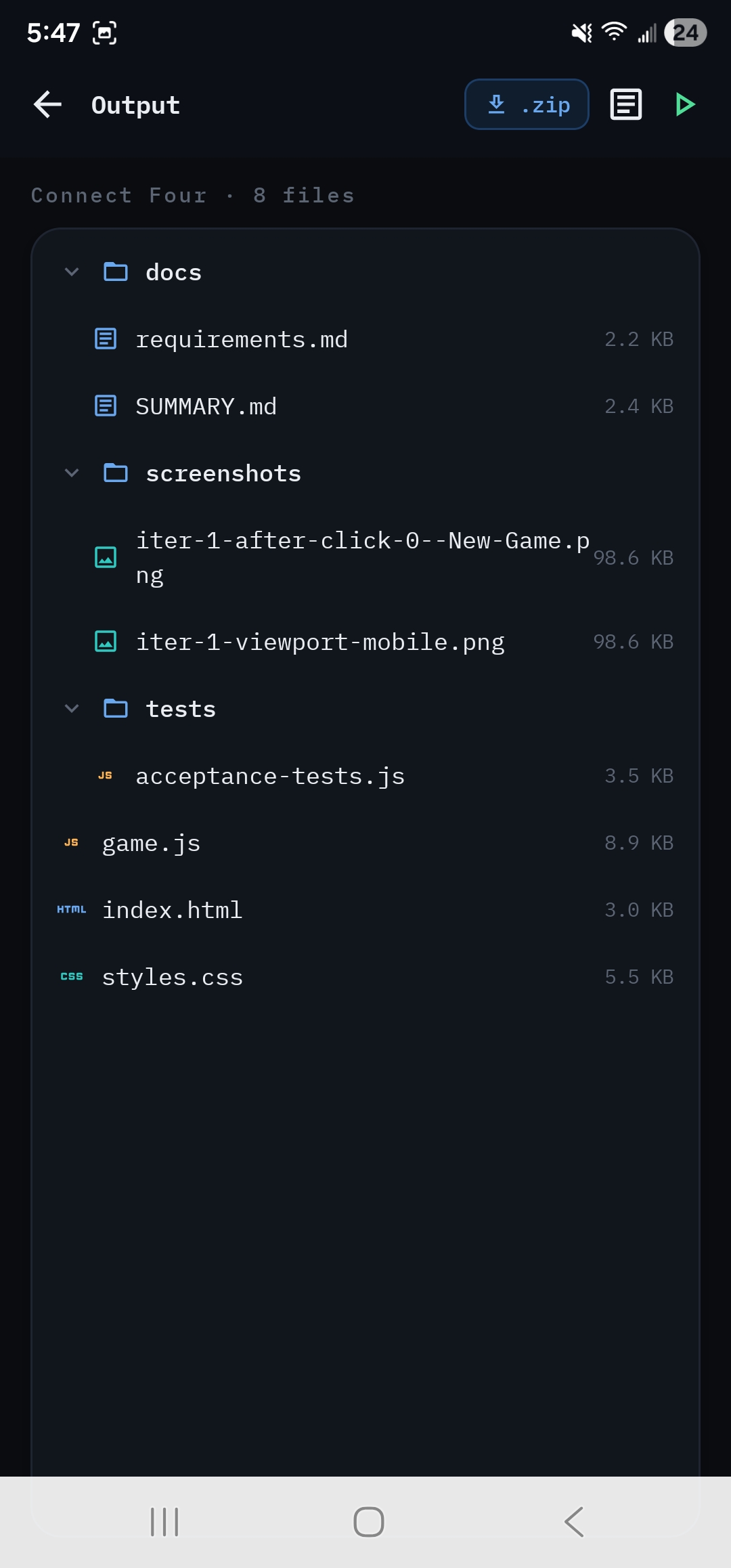
Hub · Output
File tree + zip export
Generated files in a tree with chevron + indent guides. QA-captured screenshots sit alongside the code. Zip export rides Storage Access Framework and includes all binary artifacts.
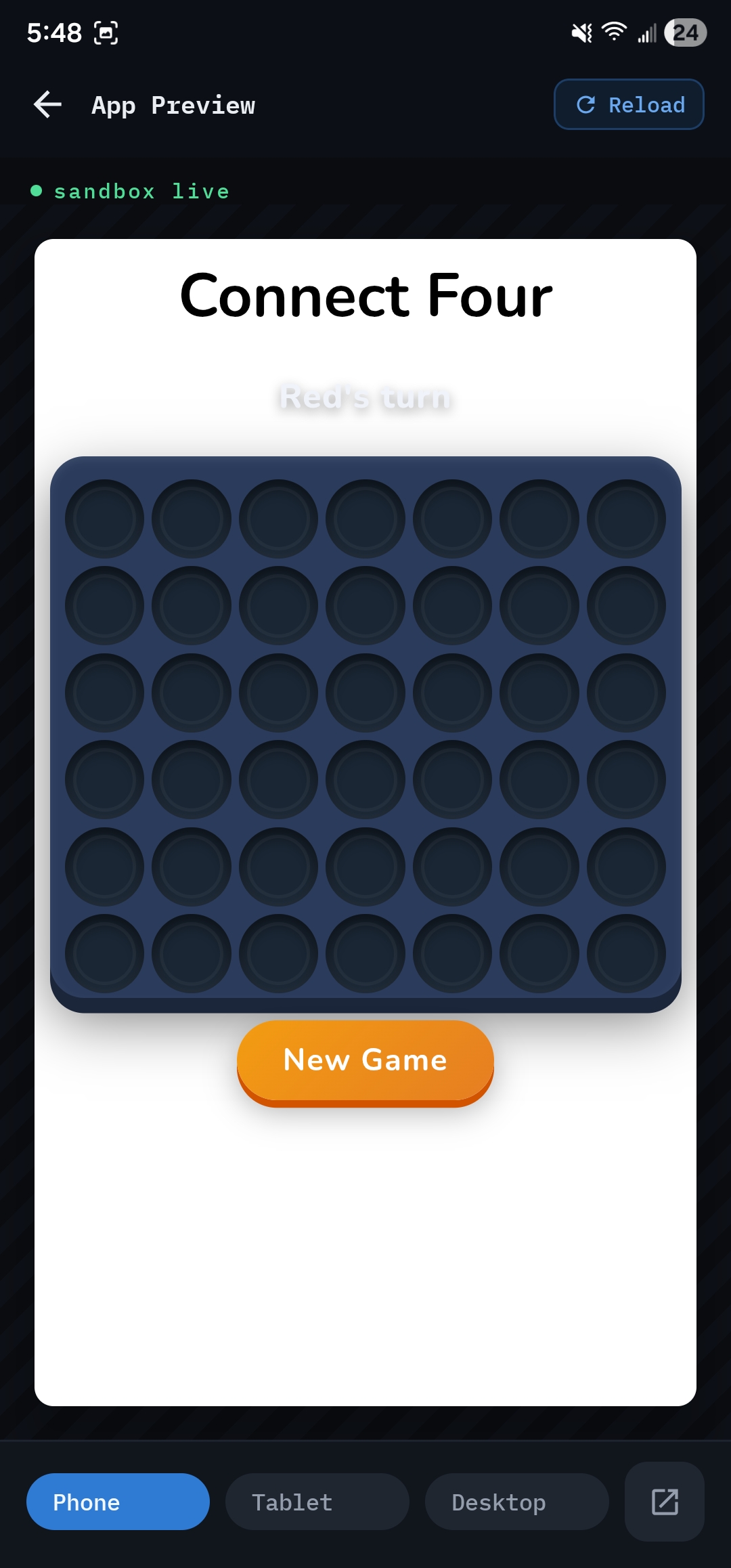
Hub · App Preview
Run it before you ship it
The generated app boots in a sandboxed WebView inside Swarm Mobile. Phone / Tablet / Desktop viewport toggle lets you sanity-check responsiveness before iterating.
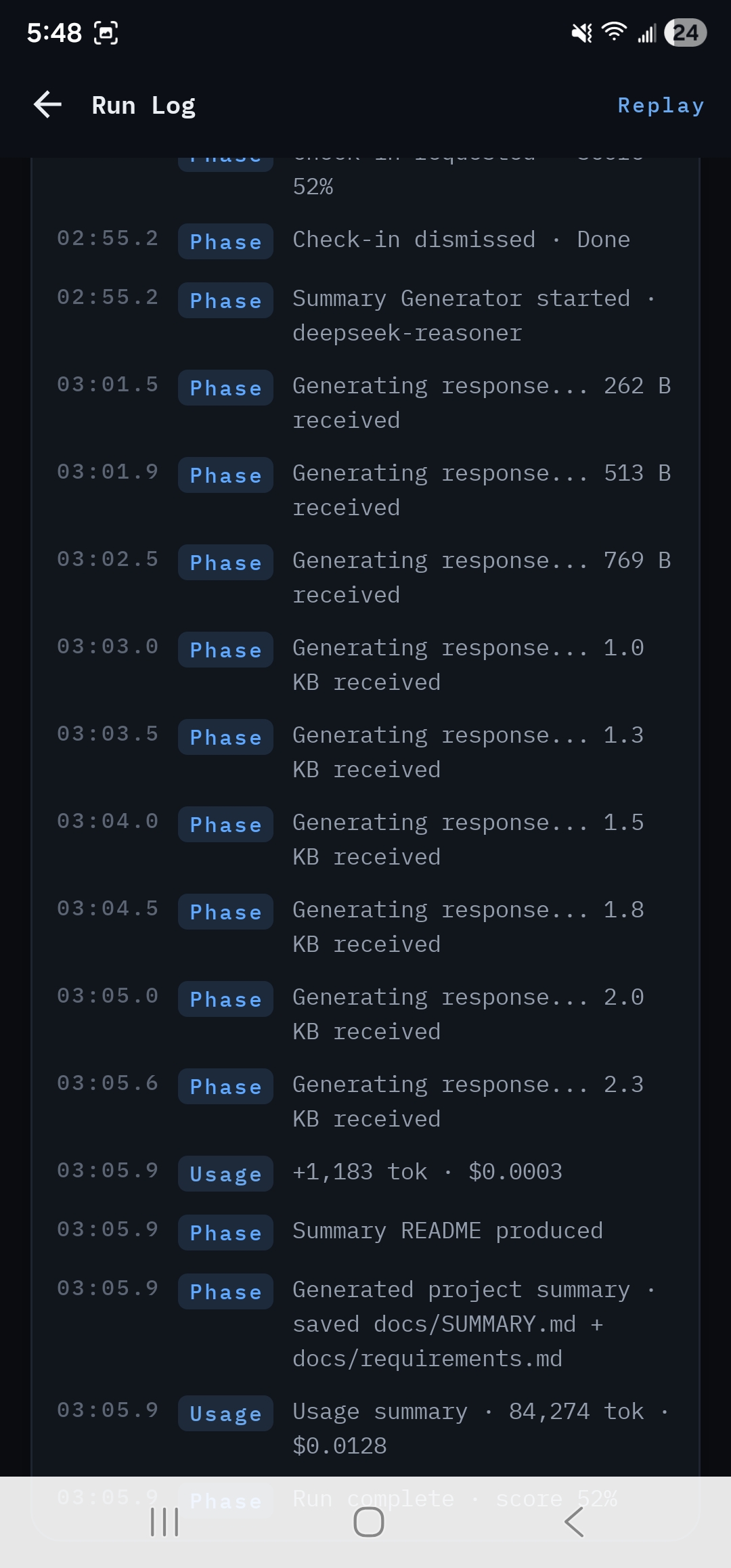
Hub · Run Log
Every event, in order
Each phase event, usage tick, generation chunk, and check-in is persisted to the local event log. Replay drives the dashboard back through the timeline.
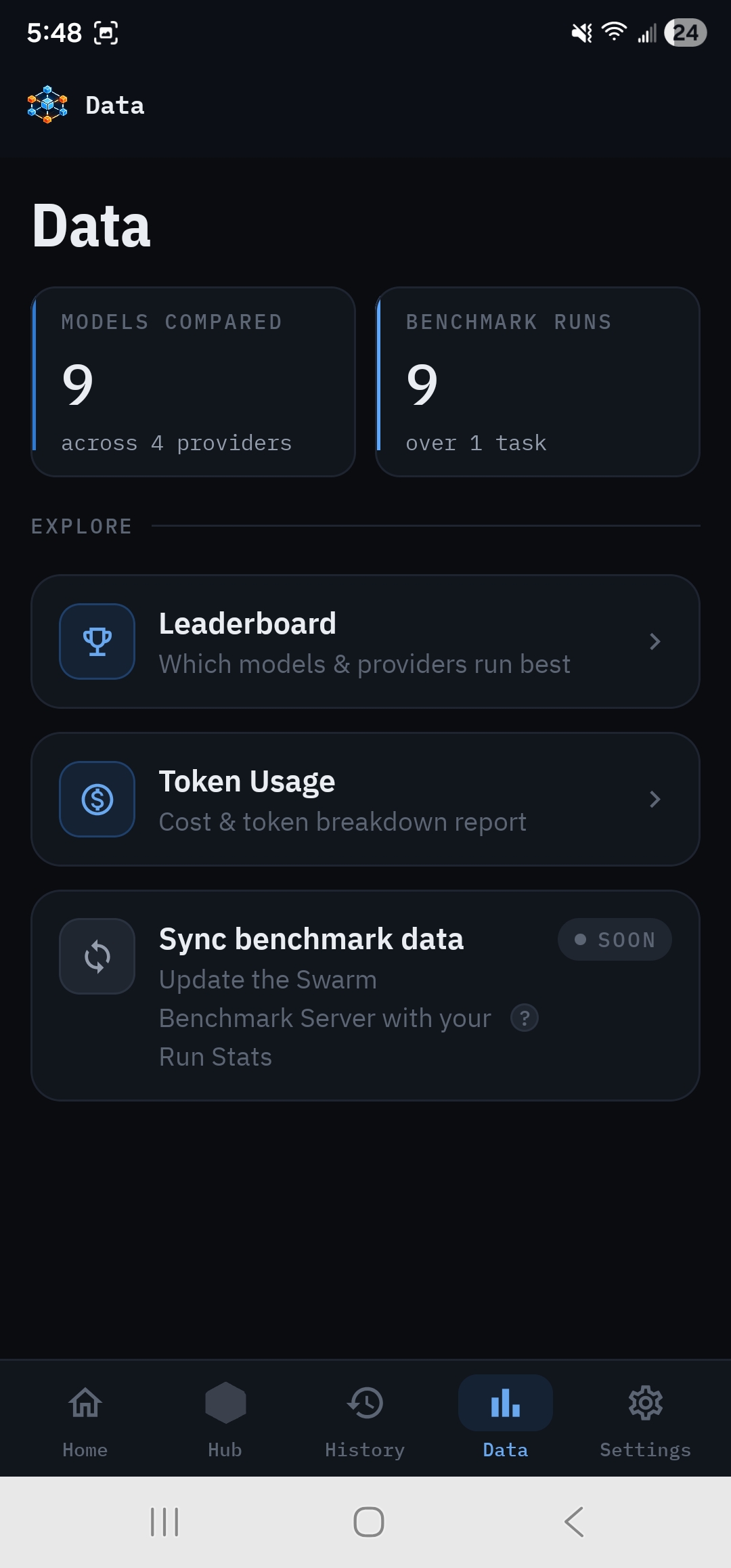
Data · Landing
Benchmark hub
Models compared, benchmark runs completed, plus a Sync benchmark data card teasing a future Swarm Benchmark Server integration for cross-device aggregation.
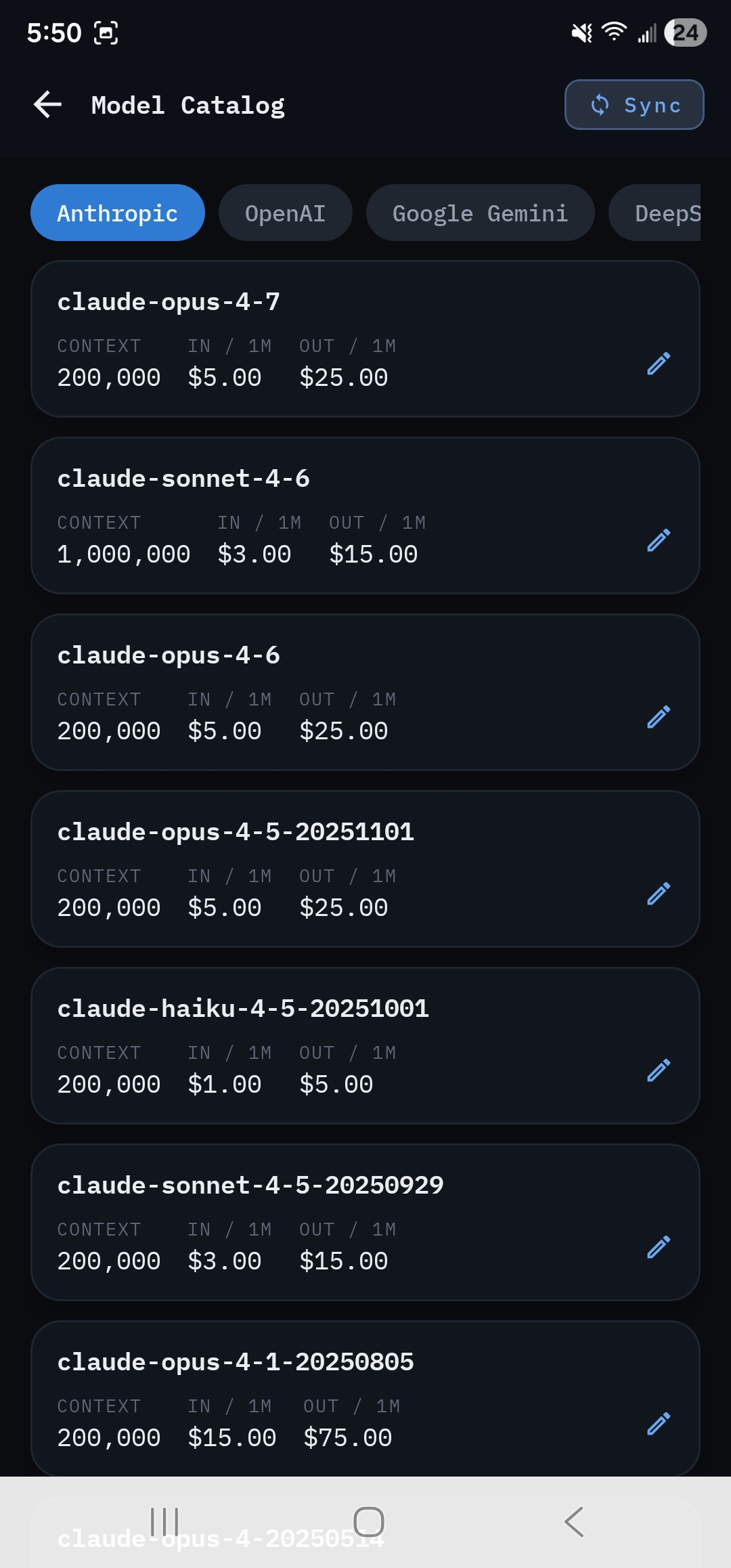
Settings · Catalog
Per-row editable pricing
Providers don't return pricing in /models, so the catalog ships with a bundled fallback table. Every row is user-overrideable. Overrides feed the live cost meter during a run.
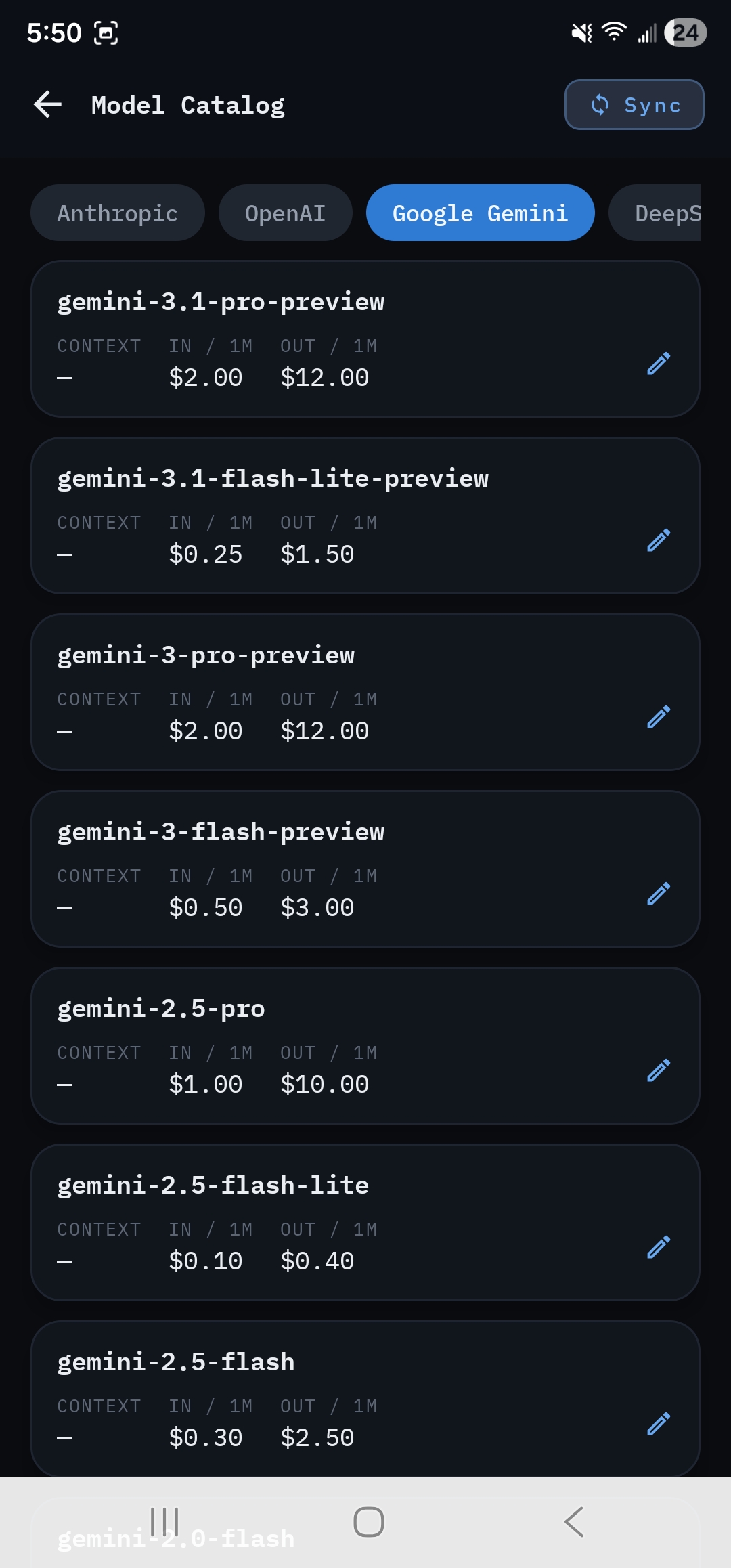
Settings · Catalog
All four providers
Tabs across Anthropic, OpenAI, Google Gemini, and DeepSeek. The catalog refreshes from each provider's /models endpoint at runtime via Settings → Provider → Refresh.
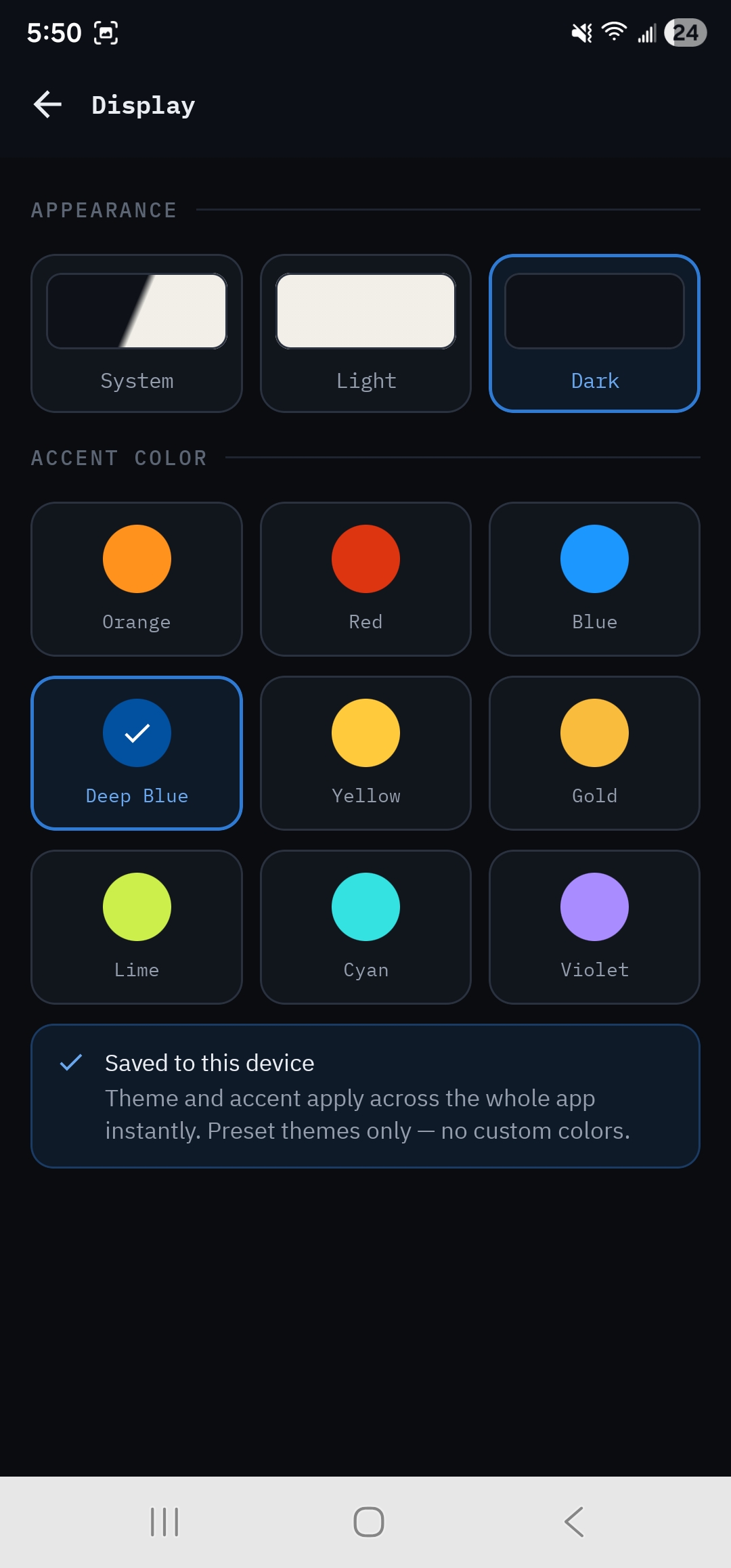
Settings · Display
Dual theme · 9 accents
Light, Dark, or follow System, with nine preset accents. Orange, Red, Blue, Deep Blue, Yellow, Gold, Lime, Cyan, Violet. Theme and accent apply across the whole app instantly.
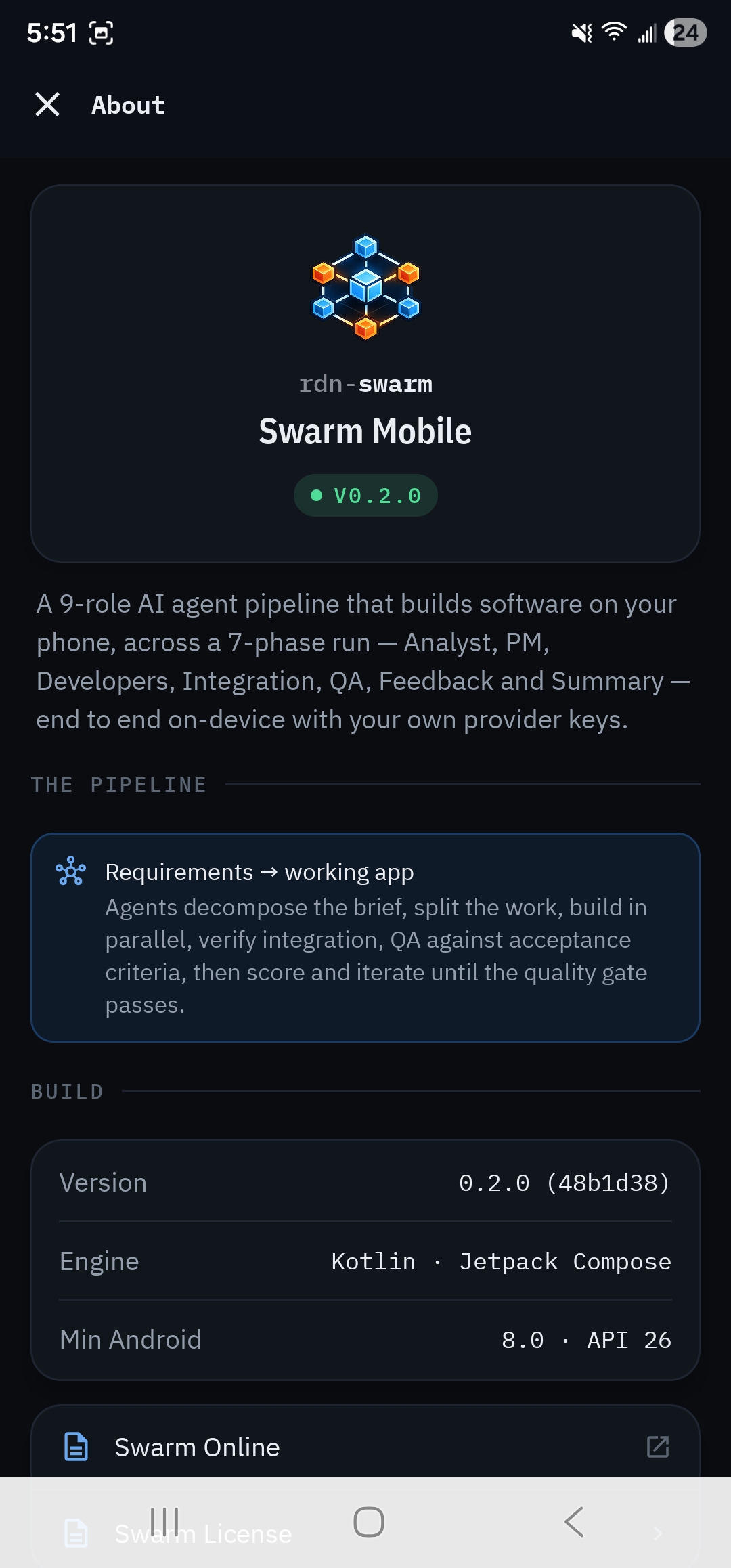
Settings · About
Build · pipeline · license
Version with git short SHA, engine, minSdk, the pipeline summary, plus deep links to Swarm Online and the in-app Swarm License (End User License Agreement bundled with open-source notices).
Security Posture
The keys
never leave
this device.
Most “AI app” mobile clients punt the keys to a server. Swarm Mobile doesn't have a server. Provider keys live in the Android hardware-backed Keystore; nothing about your runs is uploaded anywhere.
Hardware-backed key vault
Keys live in EncryptedSharedPreferences with MasterKey.KeyScheme.AES256_GCM. Keys are redacted from every log variant. OkHttp's logging interceptor strips Authorization and x-api-key before anything is written.
Excluded from cloud backup
Auto Backup is disabled via data_extraction_rules.xml and backup_rules.xml. Android's cloud backup would carry the encrypted store off-device where the master key from this device can't decrypt it anyway. Belt and suspenders.
Sandboxed in-app WebView
The WebView that runs the generated app and powers visual QA boots with allowFileAccess = false, allowContentAccess = false, and an isolated synthetic origin scoped to the per-run scratch dir.
Headers-only HTTP logging
Body-level logging is deliberately never exposed. Buffering the response body kills SSE streaming (token-by-token deltas arrive as one blob), and we paid for that lesson once.
Bundled Benchmark Suite
Same input. Same rubric. Real numbers.
Five starter templates double as a benchmark suite. Same input doc + same scoring rubric across providers means head-to-head comparisons are fair, not vibes.
Calculator
Arithmetic + operator precedence + display state
Connect Four
7×6 grid + gravity drop + 4-in-a-row, 4 lines
Lights Out
5×5 puzzle + multi-cell toggle rule (self + 4)
Pomodoro
State machine + intervals + phase transitions
Todo List
CRUD + localStorage + filters + edit modes
Six platforms.
One canonical pipeline.
Mobile is the sixth implementation in the rdn-swarm monorepo, and the first that doesn't need a server at all.