 Labs
LabsMCP Server & AI Agent
Control the entire identity platform with natural language. A 100-tool MCP server connected to Claude enables multi-step administration tasks — create users, assign roles, manage OAuth clients, inspect webhooks — all from a single conversational interface.
End-to-End: Provision a Tenant Admin
See how simple it is to provision a new tenant administrator using the RDN Identity Agent — from natural language command to password setup in four steps.
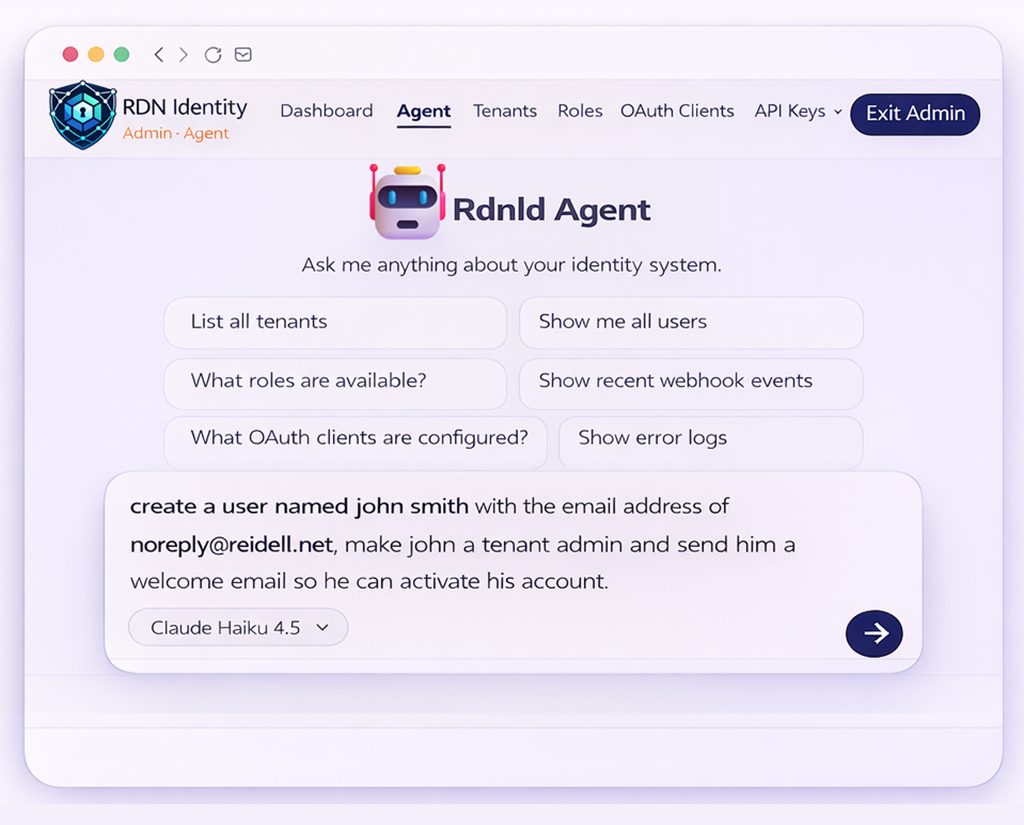
Natural Language Provision Request
The administrator describes what they need in plain English. No forms, no menus, no manual steps — just intent.
 1
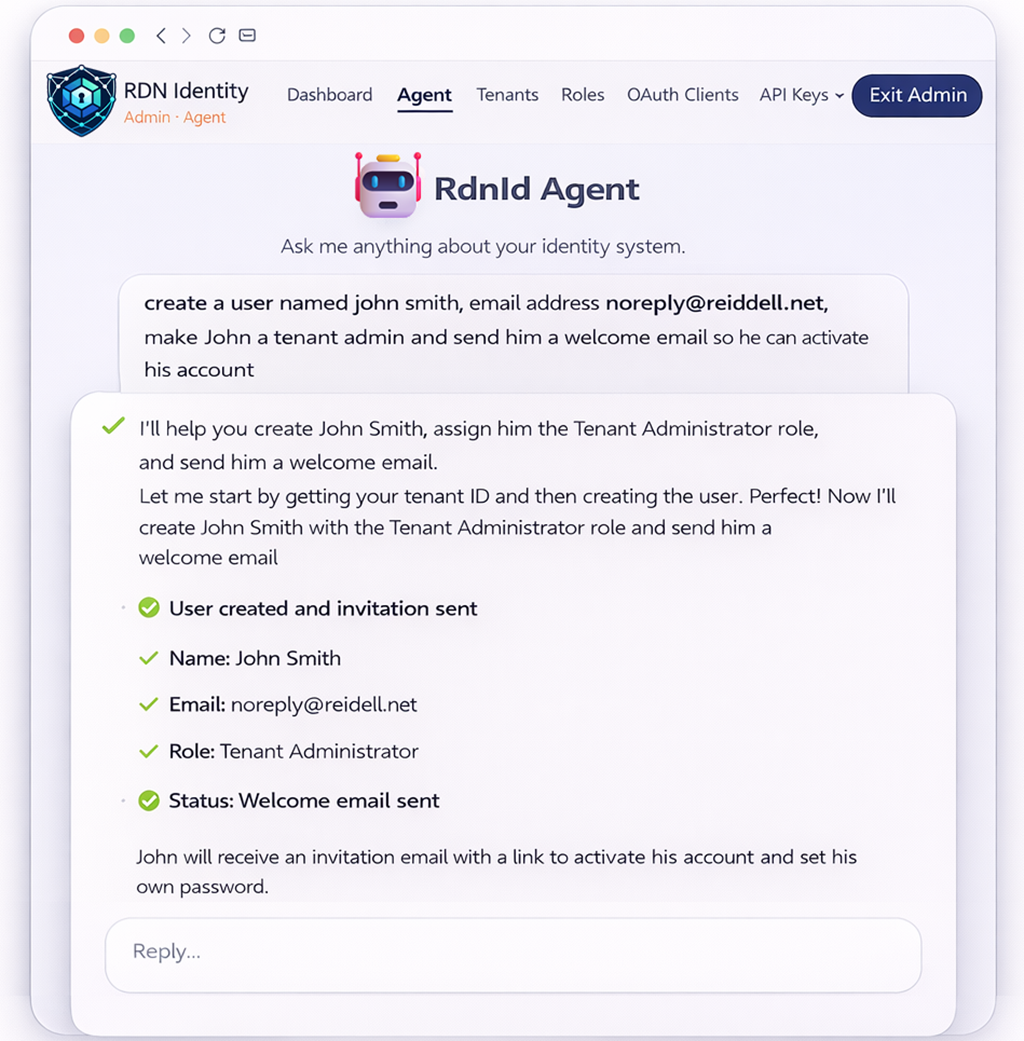
1Agent Orchestrates the Full Workflow
RdnId Agent interprets the request and automatically chains the required API calls — creating the user, assigning the role, and dispatching the welcome email in a single operation.
 2
2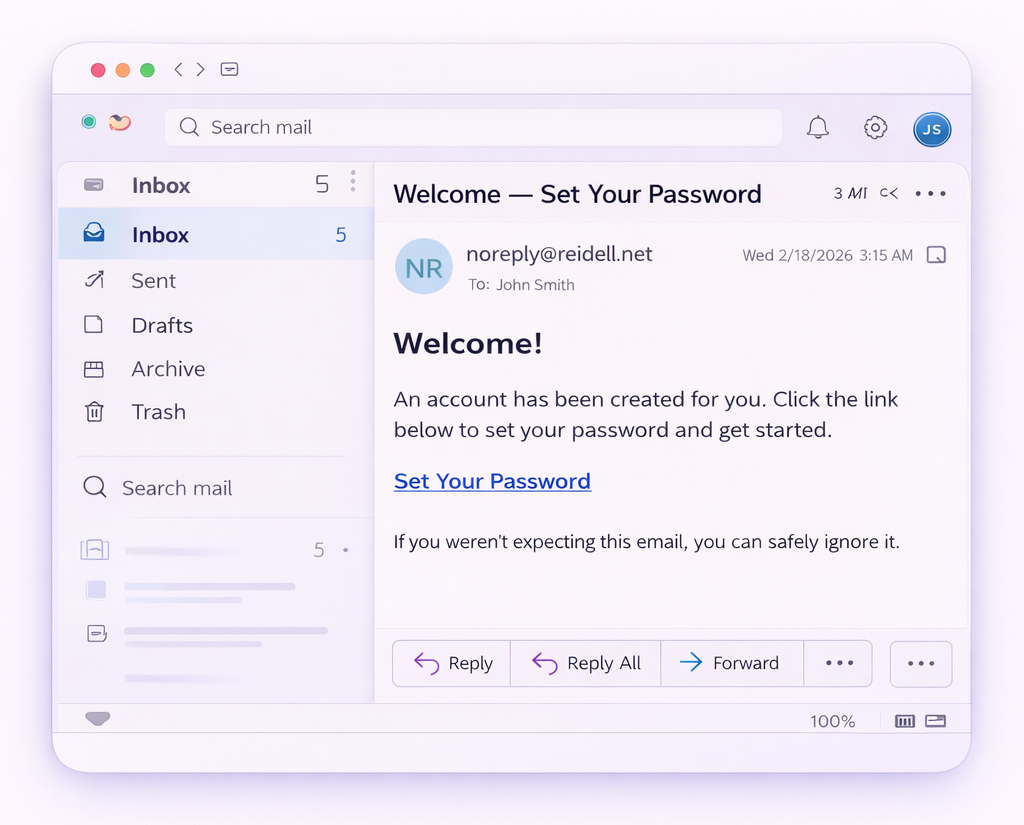 3
3Invitation Delivered Instantly
The new administrator receives a welcome email with a secure activation link — ready to set their password and get started.
 4
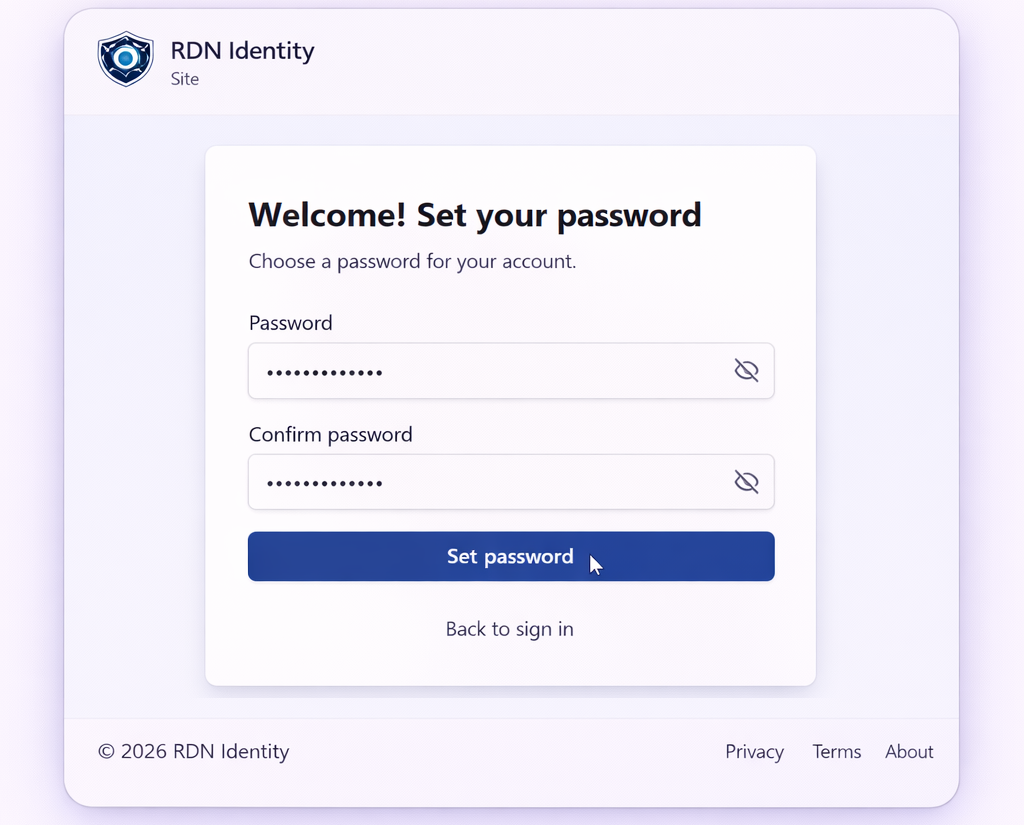
4Seamless Onboarding Experience
The new user clicks the link and sets their password — fully onboarded without any manual intervention from IT.
Architecture
The agent chat runs server-side through a Next.js API route. The user's auth token is forwarded to every MCP tool call, ensuring all actions respect permissions and tenant boundaries.
Admin UI
Chat Interface
Next.js API
SSE Route
Claude API
Anthropic SDK
MCP Server
100 Tools
.NET 10 API
REST Endpoints
SQL Server
EF Core 10
Admin UI
Chat Interface
Next.js API
SSE Route
Claude API
Anthropic SDK
MCP Server
100 Tools
.NET 10 API
REST Endpoints
SQL Server
EF Core 10
Server-Side Execution
All tool calls execute on the server via the Next.js API route. No MCP credentials or API keys are exposed to the browser.
Auth Token Passthrough
The authenticated user’s JWT is forwarded to every .NET API call, ensuring RBAC and tenant scoping are enforced at the API layer.
SSE Streaming
Responses stream via Server-Sent Events, delivering text token-by-token and tool call status updates in real time.
100 Tools Across 19 Categories
The MCP server exposes the full platform API surface as individually callable tools. Each tool includes parameter validation, safety guards, and detailed descriptions for the AI agent.
Get current user, profile updates, notification preferences
List, get, create, update, delete, and send invitation emails
List, get, create, update, delete with status lifecycle
List, get, create, update, delete permission roles
List assignments, assign role to user, remove role
Full CRUD, regenerate secrets, configure grants and scopes
Manage scopes with claims, display names, and consent settings
Create and manage custom claims for token enrichment
Subscriptions, event types, event history, delivery details, test
Login settings, login config, error logs, runtime configuration, signing keys, license
Tenant-scoped physical addresses with type classification
Tenant-scoped email addresses with type classification
Tenant-scoped phone numbers with type classification
Reference data for country names and abbreviations
Reference data for state/province names and abbreviations
Configurable types like Home, Work, Billing, Shipping
Configurable types like Personal, Work, Support
Configurable types like Mobile, Home, Work, Fax
List, get, create, revoke, and delete API keys for integrations
Agent Features
Purpose-built chat interface for identity platform administration.
Per-Conversation Model Selection
Choose the Claude model for each chat session — Haiku for quick queries, Sonnet or Opus for complex multi-step operations.
SSE Streaming
Real-time Server-Sent Events streaming delivers agent responses token-by-token as they are generated.
Tool Call Visualization
Every MCP tool call is displayed with expandable input/output, status indicators (running, success, error), and timing.
Persistent Chat History
Conversations are saved to localStorage so you can pick up where you left off across browser sessions.
Custom Markdown Rendering
Agent responses render rich markdown including tables, code blocks, lists, bold/italic, and inline code.
Destructive Action Safeguards
The MCP server includes safety guards that prevent deletion of admin users, the system tenant, system roles, and reference data.
Auth Token Passthrough
The user's authentication token is forwarded to every MCP tool call, ensuring all actions respect RBAC and tenant scoping.
Mobile-Optimized Layout
Responsive chat interface adapts to any screen size with touch-friendly controls and compact tool call display.
Explore the Full Platform
The MCP server and AI agent are part of a comprehensive identity platform with passkeys, multi-channel auth, OAuth 2.0/OIDC, and more.